CLARK TEEPLE
  • Home
  • Research
  • CV ↷
    • Publications ↷
    • Projects ↷
    • Outreach ↷
    • PDF
  • Other Experience
    • Senior Design: ENG 490
    • MIT Lincoln Lab
    • Kandu Incorporated
  • Just 4 Fun!

Wifi Sensor Modules

1/9/2017


Materials (for 1 sensor module):
  • ESP8266 NodeMCU 12e Board  (Arduino-compatible development board with Wifi connectivity)
  • DHT22 Temperature/Humidity Sensor (Arduino-compatible temp/humidity sensor. It's got better temperature resolution than the cheaper DHT11, and a larger working range for temp and humidity measurements)

Software:
  • Arduino IDE
    • ESP8266 NodeMCU 12e board libraries need to be installed.
    • ESP8266Wifi library, ThingSpeak library, and DHT libarary need to be installed
  • ​ThingSpeak.com
    • ​Set up ThingSpeak channels with several fiel
  • Mobile Phone App
    • I wanted to be able to check on my sensors frome anywhere with an internet connection. Luckily there are many to choose from on Android.
Results:
  • Hardware:
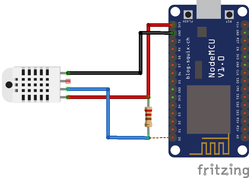
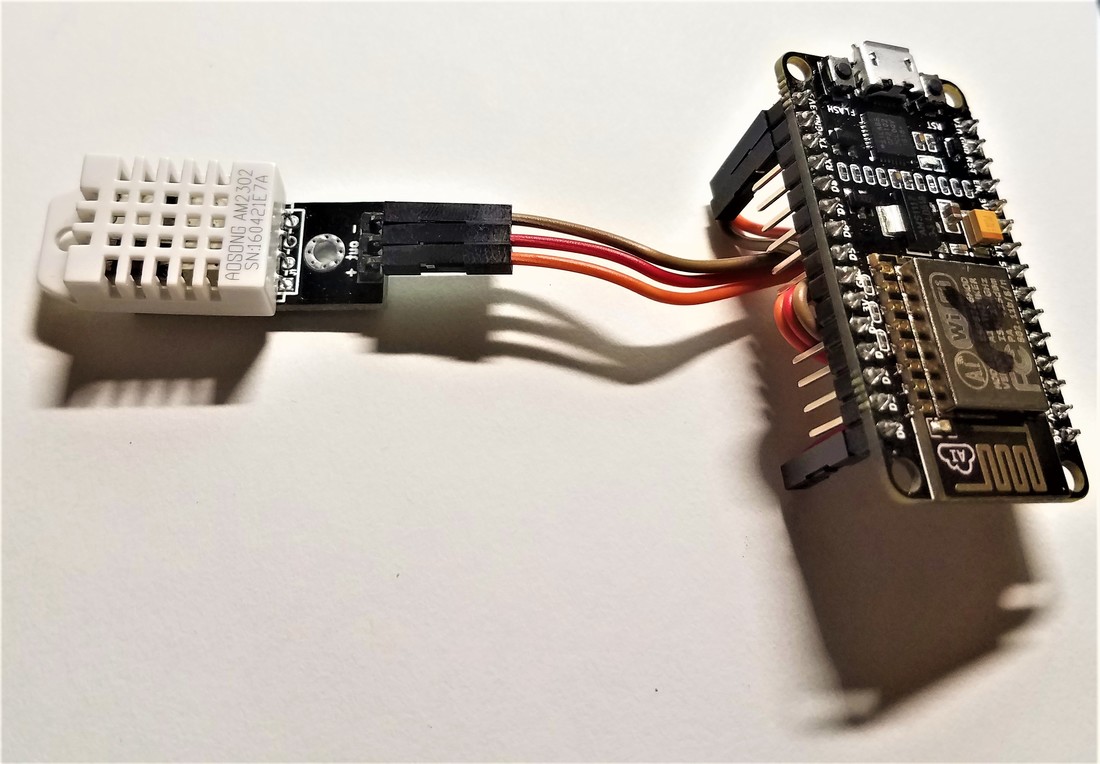
    • The actual board and sensor setup is easy. My sensors have built-in pullup resistors in them, so I can directly connect them to the power and GPIO pins of the ESP8266 dev board.
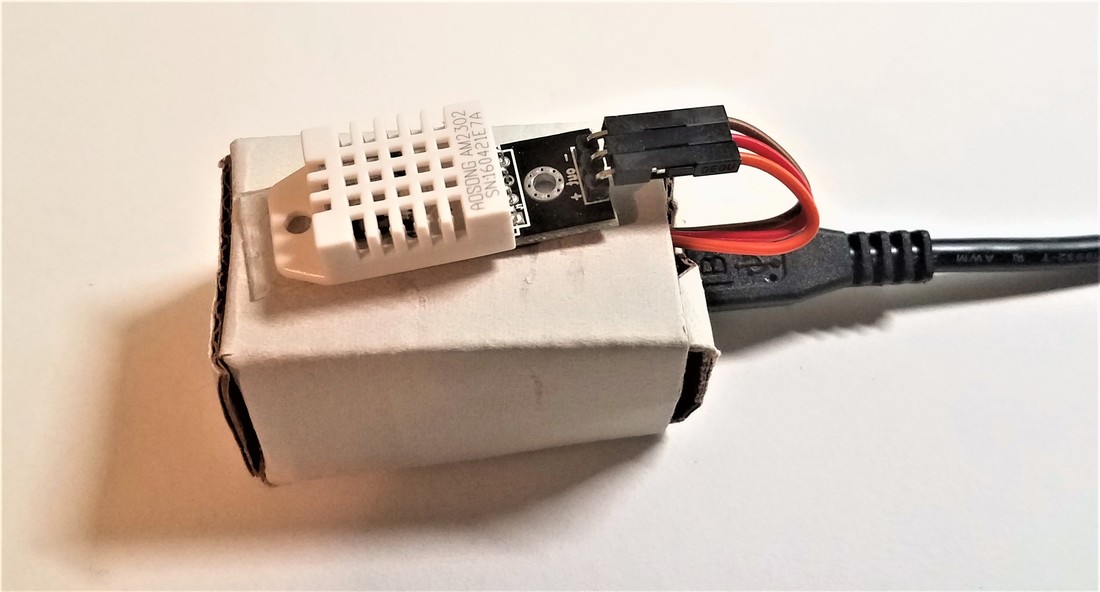
    • I made a quick cardboard housing for the sensors. There is a bright blue LED that blinks every time the sensor data is read, and the housing suppresses that light.
Picture
Schematic of the circuit
Picture
ESP8266 NodeMCU 12e dev board connected to a DHT22 temp/humidity sensor.
Picture
The whole board with a cardboard housing to seal it up. This keeps the (very) bright blue activity light from blinking all night!
  • My main ThingSpeak channel is public. Take a look!
    • ​I set up ThingSpeak channels with several fields.
      • Due to quotas on how fast you can write to ThingSpeak (every 15 seconds per channel), I set up 1 channel per sensor.
      • Each sensor channel has 3 fields (temp, humidity,  and an error channel).
      • This allows me to write data from many sensors simultaneously without worrying about timing issues.
    • Each channel generates unique API Keys that can be used to read and write data.
    • ThingSpeak integrates MATLAB functionality directly, so I set up a triggered event to pull the sensor data from all of the different sensor channels, calculate the average, then put the  all of this information in another channel (my main channel).
  • Mobile Phone Apps Galore!
    • Android: there are a ton of free apps that allow you to view data from ThingSpeak
      • ThingView App
      • IoT ThingSpeak Monitor Widgit
      • At least 3 others with "ThingSpeak" in the title, and many others with compatibillity​​
    • iPhone: there are no official Apple options that I know of. Sorry apple fanboys, you're out of luck!

Comments are closed.

    Author

    Write something about yourself. No need to be fancy, just an overview.

    Archives

    January 2017

    Categories

    All

Powered by Create your own unique website with customizable templates.
  • Home
  • Research
  • CV ↷
    • Publications ↷
    • Projects ↷
    • Outreach ↷
    • PDF
  • Other Experience
    • Senior Design: ENG 490
    • MIT Lincoln Lab
    • Kandu Incorporated
  • Just 4 Fun!